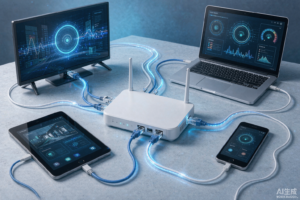



One of the first questions buyers ask is simple: how many devices can I use with one IPTV subscription? The answer depends on the plan you choose — and understanding the difference between “installing on many devices” and “streaming on many devices at once” will save you money.
Installs vs. Simultaneous Streams
Most providers let you install the app or add your line to unlimited devices. What is limited is the number of simultaneous streams — how many devices can actually watch at the same moment. A typical base plan allows 1 to 2 concurrent connections; add-on plans extend that to 3, 5 or more for a small fee.
Which Setup Fits Your Home?
- 1 connection: solo viewers, or couples who never watch two different channels at once.
- 2 connections: the sweet spot for most families — living room TV plus a bedroom or mobile device.
- 3+ connections: larger households where sports, kids’ shows and movies all run in parallel.
How to Set Up Multiple Devices
- Install a player app on each device — the full walkthrough is in our Smart TV guide.
- Log in with the same subscription credentials on every device.
- Check your plan’s connection limit before the household settles into viewing habits — upgrading later is easy.
For Android-based setups, our Firestick guide covers the most popular streaming stick, and the same steps apply to Android TV boxes and phones.
Does Splitting Connections Slow Streaming Down?
No — connections are licensed on the provider side, not your router. Each stream pulls its own bandwidth, though: as a rule of thumb, budget 10–15 Mbps per active HD stream. A 100 Mbps home connection comfortably supports 4–6 simultaneous HD streams; below 50 Mbps, limit yourself to 2–3.
What NOT to Do
Sharing one 1-connection line across a whole apartment building will trigger provider-side limits (stream freezing or temporary lockouts). If several people need to watch at once, pay for the connections you need — even a 5-connection plan is still cheaper than one month of cable.
The Bottom Line
Count the screens that will run at the same time in your household, choose a matching plan, and every TV, phone and tablet can join in. See the getting started page for connection plan options.